
- What is a Resume and Why Does it Matter?
- Standard Resume Format
- Resume Examples for Different Roles
- Resume Templates (Copy + Customize)
- Resume Builder Tools: Where to Create Your Resume for FREE
A resume is more than just a list of jobs—it’s your personal highlight reel. It tells the story of where you’ve been, what you’ve accomplished, and what you bring to your next opportunity. In today’s job market, having a clear, well-structured resume can make the difference between getting noticed and getting overlooked.
In this guide, we’ll show you how to write a resume that reflects your God-given talents, using proven strategies and free tools. You’ll also find resume examples, templates, and resume builder resources to help you create a resume that opens doors.
What Is a Resume and Why Does It Matter?
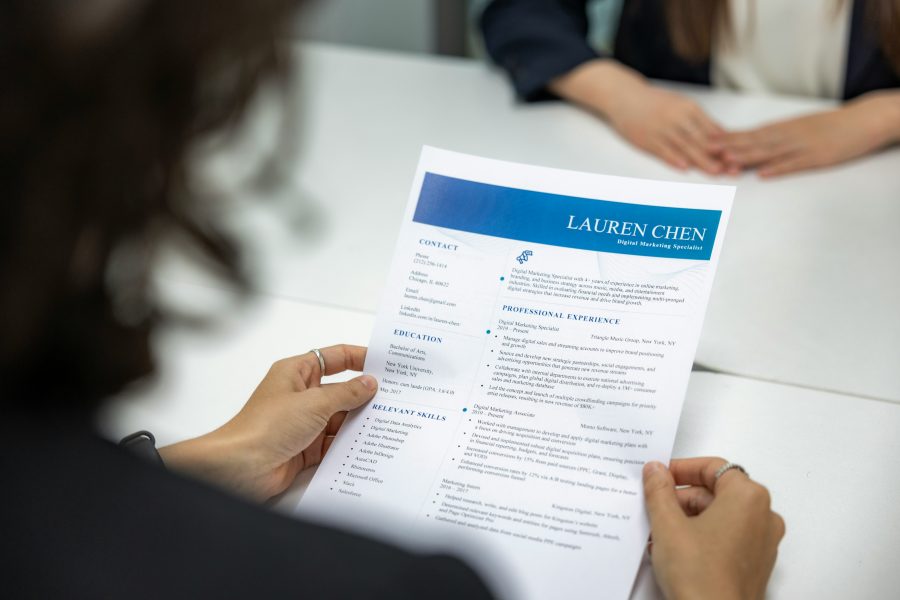
A resume is a one- to two-page document that highlights your work experience, skills, and education. It’s often the first impression an employer has of you.
While your cover letter tells your story, your resume presents the facts: what you’ve done and how you’ve made a difference. A strong resume gets you past Applicant Tracking Systems (ATS) and into the hands of hiring managers.
Ecclesiastes 9:10 reminds us: “Whatever your hand finds to do, do it with all your might.” Excellence in your resume reflects excellence in your work.
DID YOU KNOW???
You can get free career guidance with one of our Crossroads Guides! When you schedule with one of our Crossroads Guides, you will receive a free consultation (up to 45 minutes), helping to give you hope and direction during your job transition. Click here to Connect with a Crossroads Guide for a free 45 minute consultation.
Resume Format: What to Include and How to Structure It
A clear, easy-to-read resume format is key. Here’s what every effective resume should include:
Standard Resume Format:
- Contact Information
Name, phone, email, LinkedIn profile (optional) - Professional Summary
3-4 bullet points outlining your Unique Distinctions – See our blog “Top Tips: Tip #5 – Unique Distinctions” for more information - Skills
A list of key skills relevant to the role (customized per job) - Work Experience
List your jobs in reverse chronological order. Use bullet points for responsibilities and achievements - Education
Include degrees, certifications, and relevant coursework - Optional Sections
- Volunteer experience
- Leadership roles
- Faith-based or mission-aligned service work
- Volunteer experience
Tip: Keep formatting simple (Arial or Calibri, 11 pt). Avoid tables or text boxes that might confuse ATS software.
The STAR Method: A Resume Strategy That Gets Noticed
Instead of just listing duties, describe accomplishments using the STAR method:
- Situation: What was the context?
- Task: What were you responsible for?
- Action: What did you do?
- Result: What was the outcome?
Example:
- “Led a team of 5 in launching a new inventory system, reducing stock issues by 40% within six months.”
Using STAR-based bullet points makes your resume more compelling and results-driven. Click HERE for our Star Story Exercise page.
Resume Examples for Different Roles
Need inspiration? Here are a few sample resume summaries and experience bullet points to guide you:
Entry-Level Resume Example
Summary: Recent graduate with a degree in Business Administration and internship experience in customer service. Known for attention to detail, adaptability, and positive energy.
Experience Bullet:
- Assisted with customer onboarding at XYZ Corp, resulting in a 15% reduction in onboarding time.
Career Change Resume Example
Summary: Former teacher transitioning into project coordination, bringing strong communication, time management, and organizational skills.
Experience Bullet:
- Coordinated school-wide events for 300+ students, managing timelines, budgets, and volunteer teams.
Faith-Based Nonprofit Resume Example
Summary: Mission-driven professional with 10+ years in ministry, passionate about discipleship, service, and leadership development.
Experience Bullet:
- Trained and mentored over 50 small group leaders as part of a church-wide leadership initiative.
Click here for our Downloadable Resume Sample Pack
Resume Templates (Copy + Customize)
Here’s a free, ATS-friendly resume template you can copy and paste into your own document:
Your Name
City, State • Phone • Email • LinkedIn
Professional Summary
[2-3 sentences summarizing experience, strengths, and goals.]
Skills
- Skill 1
- Skill 2
- Skill 3
Work Experience
Job Title – Company Name (Dates)
- Bullet point with STAR example
- Bullet point with measurable result
Education
Degree – School Name (Graduation Year)
Additional Experience
- Volunteer roles or leadership experience (optional)
Tip: Keep your resume to one page unless you have 10+ years of experience.
Resume Builder Tools: Where to Create Your Resume for Free
Looking for a resume builder to make formatting easier? Here are a few free options:
- Canva Resume Builder (canva.com) – Clean templates, easy to customize
- Zety Resume Builder (zety.com) – Guided writing suggestions
- Indeed Resume Builder (indeed.com) – Saves directly to job platform
- Novoresume and ResumeGenius – Free plans with paid upgrades
- Crossroads Career Google Docs Template (optional resource you can offer)
Caution: Don’t over-design your resume. Fancy fonts or charts can confuse ATS scanners.
Common Resume Mistakes to Avoid
- Using vague or generic descriptions
- Listing responsibilities instead of achievements
- Typos and grammar errors
- Inconsistent formatting
- Including every job you’ve ever had (focus on relevance)
Your resume reflects your preparation and stewardship. As Proverbs 21:5 says, “The plans of the diligent lead surely to abundance.”
Final Encouragement
A resume won’t get you the job—but it can get you the interview. Make it count. Speak with clarity, write with purpose, and trust God to open the right door.
If you’d like help reviewing or building your resume, we’d love to talk with you. Connect with a Crossroads Guide today and take your next step in faith.
Will Graham is the founder and principal of William Graham Agency, a consulting firm that specializes in helping organizations grow in influence and scope. He has been involved at high levels with other faith-focused entities, including Ministry Brands, where he served as General Manager; and with Campus Crusade for Christ, where he served on the Executive Team for the publishing and materials distribution division. His current clients include several thought leaders and best-selling authors who want to make a bigger impact on their spheres of influence. Will helps Crossroads think through and execute on a high level plan for sustainability. This includes projects related to organizational development, fundraising, and expanding the ministry’s reach and awareness.
Connect with a Crossroads Guide
We would love to help you by setting up a time to talk to someone who can provide personalized career assistance.
